
I have a Raspberry Pi that is always on for connectivity to my security equipment while I am away from home. Occasionally it would be useful to turn my PC on remotely and as the Pi is always on, I could use that. Initially I thought of using a relay switch, but I saw an article on using a Light Dependent Resistor (LDR) and a Light Emitting Diode (LED) to close a circuit. I thought was neat with no moving parts and compatible with low voltages found on the Pi, so I investigated.
The first step was to connect a LED to the Pi and turn it on and off.
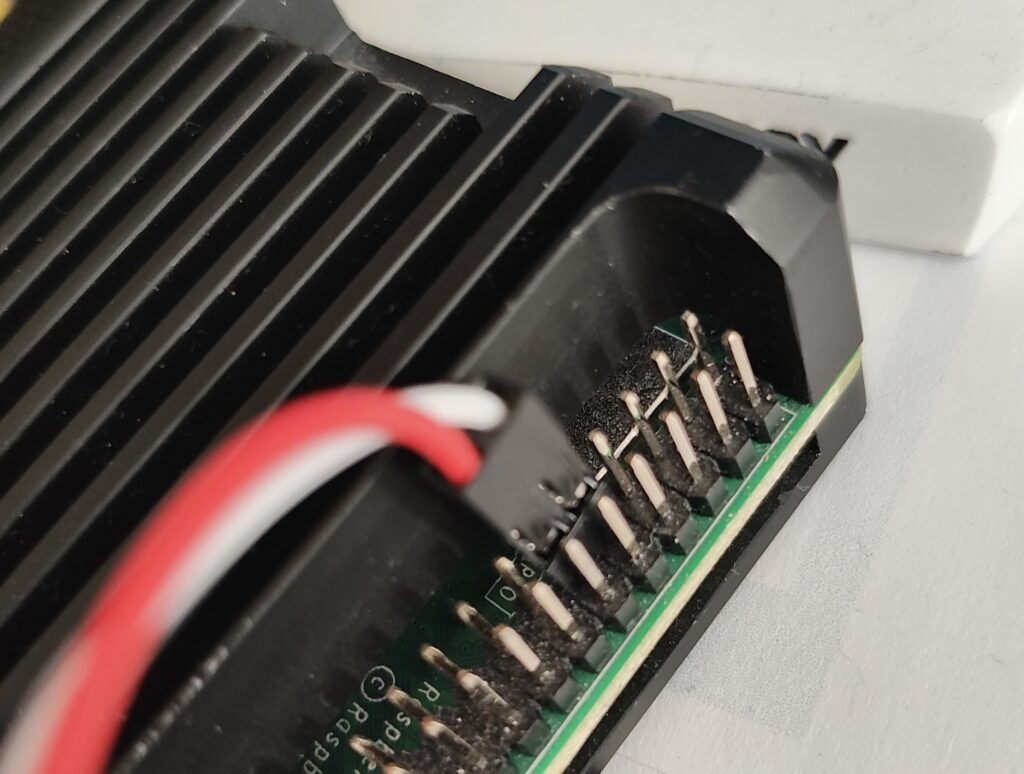
The Pi has a set of pins put known as the GPIO header. However, the pin numbers are not the same as the GPIO numbers.
More info here: https://pinout.xyz/
I used pin 9 which is ground and has no GPIO number (White lead) and pin 11 aka GPIO 17 (Red lead) as shown in the picture. The GPIO number will be used in the program later.
I connected the other end to croc clips to test.
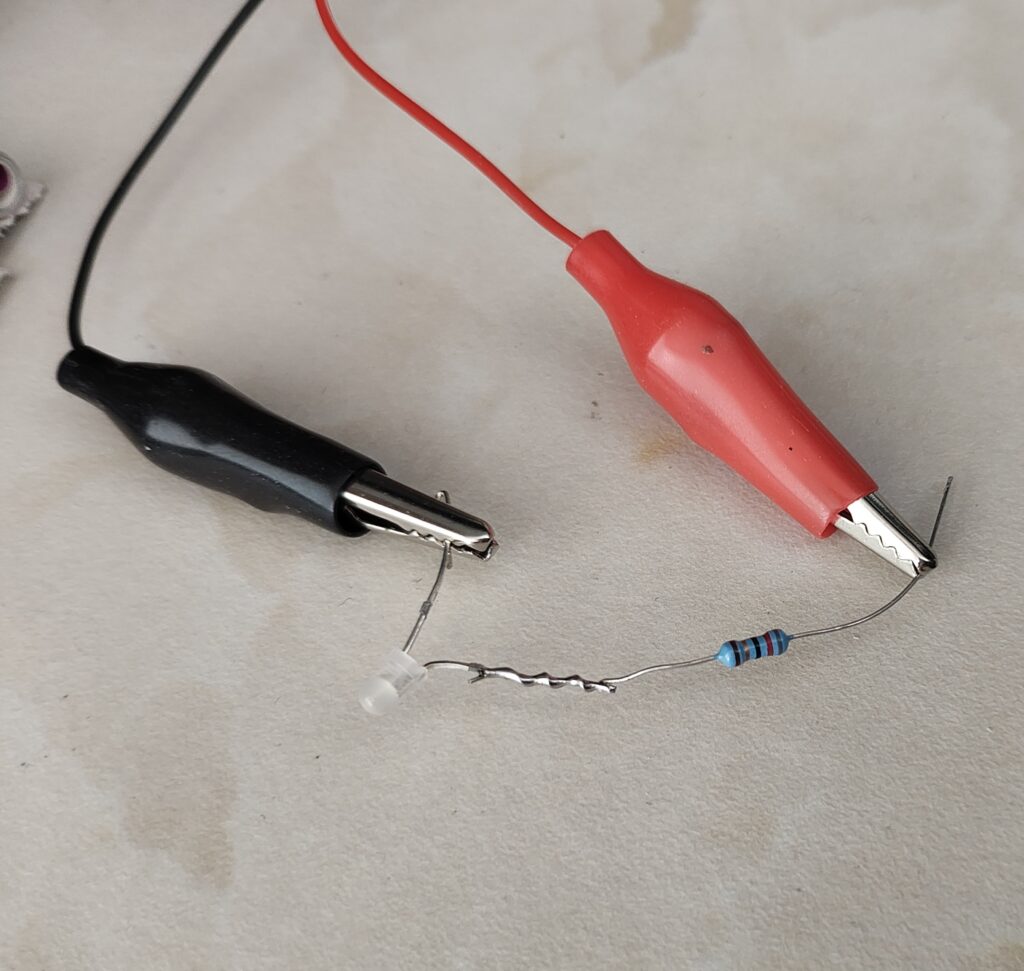
I wrote a Python program to turn the LED on, wait 4 seconds, then turn it off.
You can also do this with a BASH script.
The resistor is not essential for the test, but an appropriate resistor will enhance LED life.
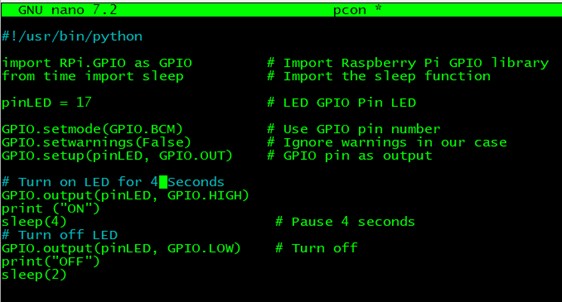
Note: The GPIO pin mentioned earlier is specified in the pinLED variable.
So that’s the Pi side of the project. For the switch to be activate by the LED I need to wire the Light Dependant Resistor to the PC power switch. You could use a motherboard power pin splitter. Many types are available, such as the one shown here.

However, access to the switch on the PC, I want to use is accessible and it was easy to solder the wires directly.
LDRs are used to detect light levels. Their resistance decreases as the light intensity increases.
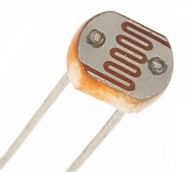
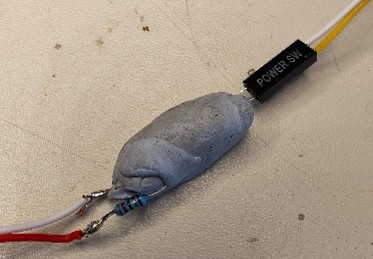
The LDR connects to the power switch, and the LED is used to activate it by bringing down the resistance. So, we need to keep the two together and block the outside light which might inadvertently activate it.
I first tried wrapping the two components in Blue Tack which worked ok but was easy to squash blocking or reducing the LED intensity.
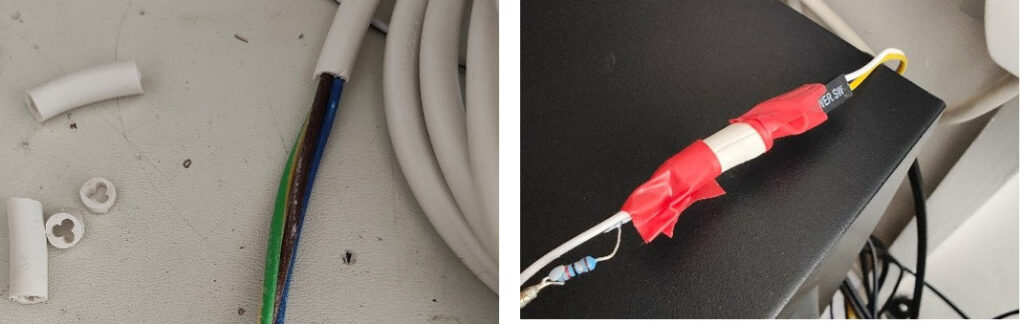
In the end I stripped a piece of insulation off a suitable cable and poked them in together as shown.
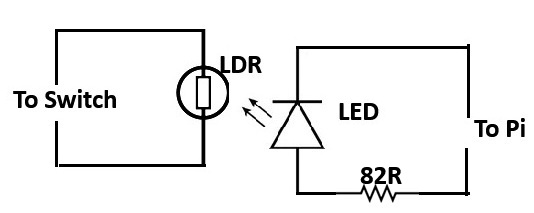
Basic Diagram
Components
LDR 5539 Light Dependent Resistor Amazon
LED 3mm Light Emitting Diode Pi Hut
Resistor 82R eBay
Cable & Connector Spare from PC build My Junk Box
LED Polarity shown below:
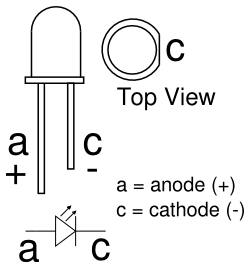
A white LED is best
82R resistor or appx (100R would be OK)
Cables with suitable connector can be found online if needed
Search for Front Panel Connectors

I have used Wake On LAN software previously but I found it a bit hit and miss.
Most of these components come in packs of 10 or more so I have spares, just need another project or two.
To access the Pi from outside your own network is another story. Look up PiVPN.
Downloads
Python Code
#!/usr/bin/python

import RPi.GPIO as GPIO         # Import Raspberry Pi GPIO library
from time import sleep          # Import the sleep function

pinLED = 17                     # LED GPIO Pin LED

GPIO.setmode(GPIO.BCM)          # Use GPIO pin number
GPIO.setwarnings(False)         # Ignore warnings in our case
GPIO.setup(pinLED, GPIO.OUT)    # GPIO pin as output

# Turn on LED for 4 Seconds
GPIO.output(pinLED, GPIO.HIGH)
print ("ON")
sleep(4)                         # Pause 4 seconds
# Turn off LED
GPIO.output(pinLED, GPIO.LOW)    # Turn off
print("OFF")
sleep(2)
This article as PDF